Every phone in the room becomes a light
Your audience scans a QR code and taps Join in. From then on each phone is one pixel of a big light show. You pick a colour, a wave, an image or a line of lyrics, and all of them switch at the same moment.
Windows 10 and 11 · nothing to install · one single file · audience needs only a phone browser
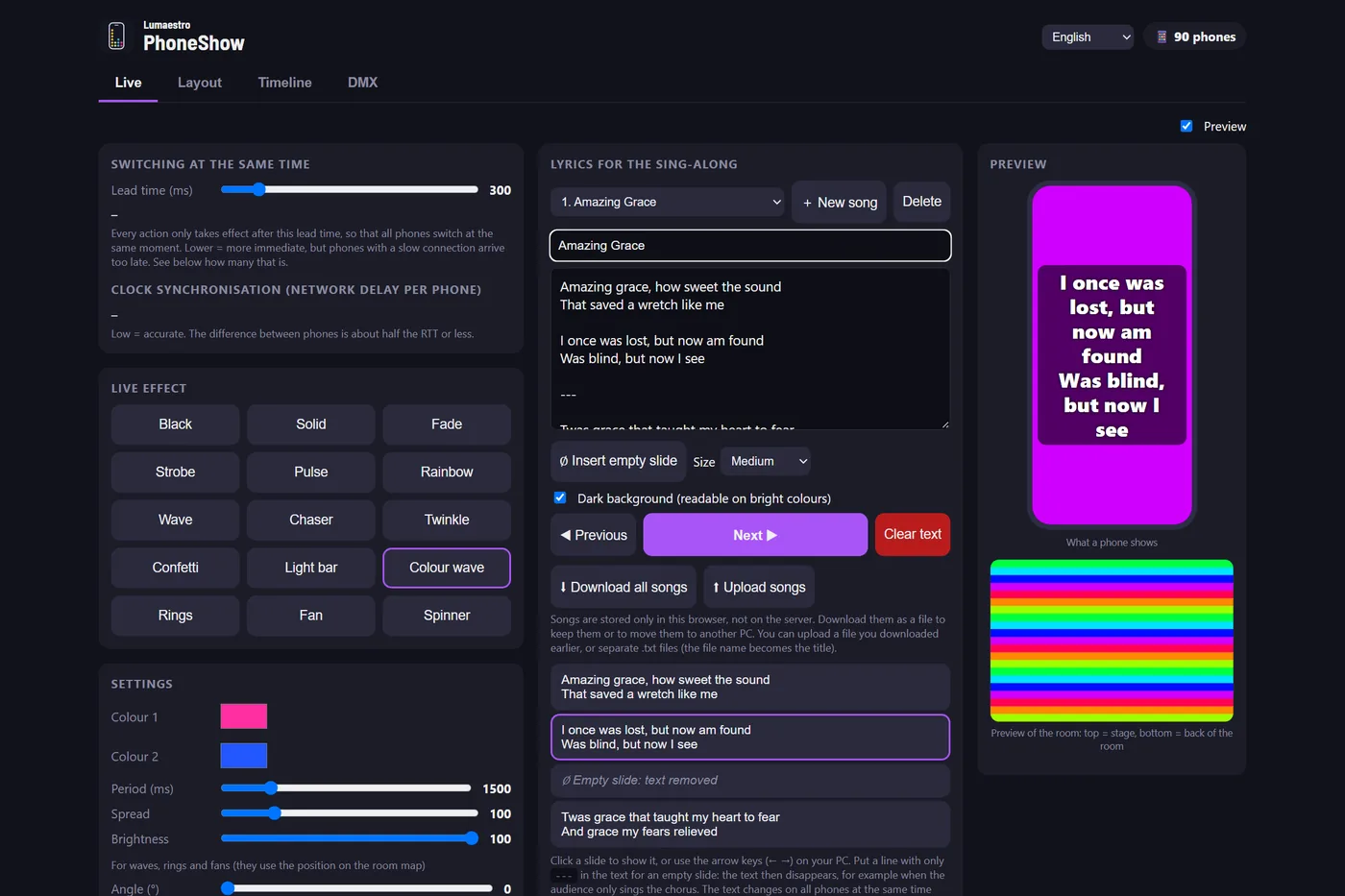
Light, text and pictures on every phone
No app for the audience, no special equipment. The program runs on your Windows PC and the phones join through the browser.
14 light effects
Solid, fade, strobe, pulse, rainbow, wave, chaser, twinkle, confetti, light bar, colour wave, rings, fan and spinner.
A map of your room
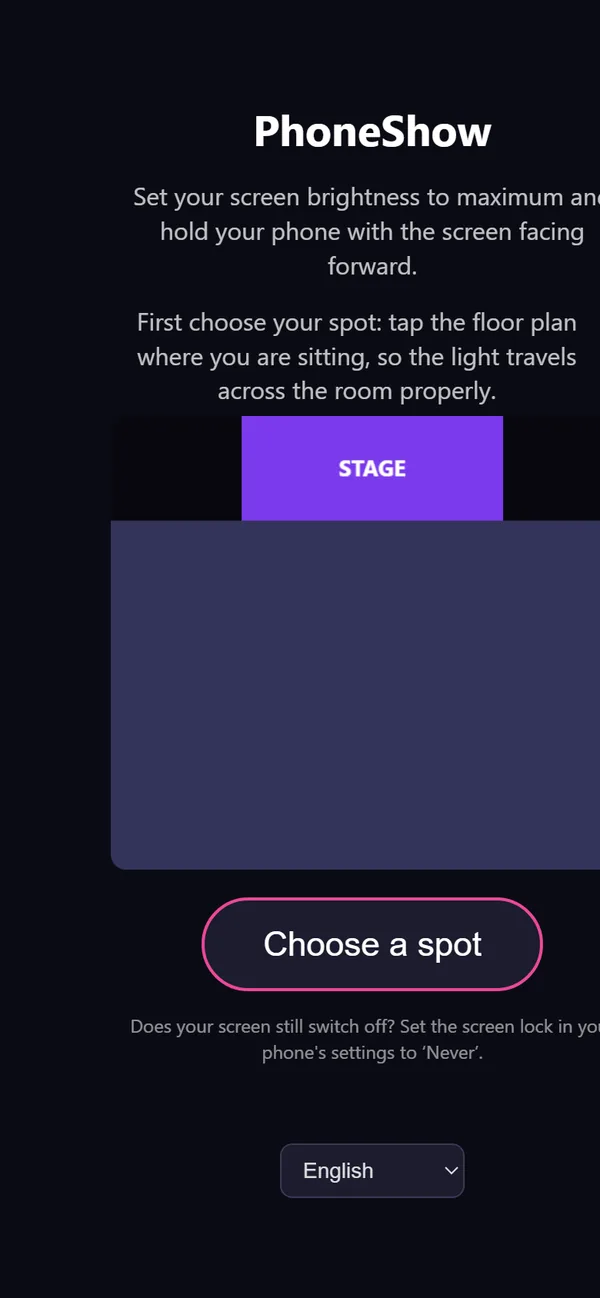
Visitors tap where they sit. Waves, rings and fans then travel across the real room, with stage, aisles and pillars drawn to scale.
Sing along
Show the verse in large type over the light and change it on all phones at once. An empty slide removes the text when the audience only sings the chorus.
Shows on a timeline
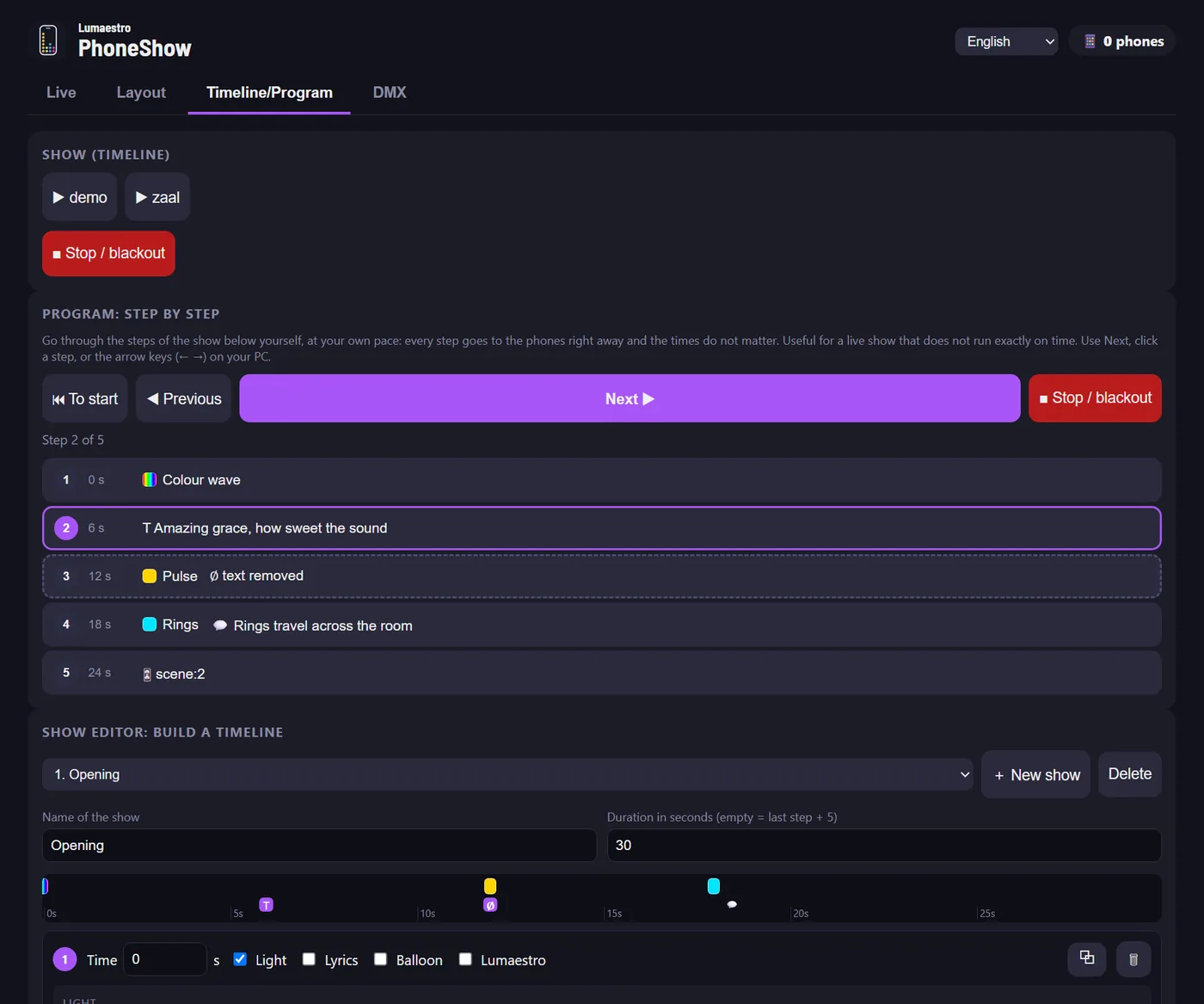
Build a show step by step: light, lyrics, a speech balloon or a Lumaestro action at a fixed moment. The show sits on the phones and runs on the clock, or you step through it by hand when a live show runs late.
Images
Load a logo or picture on all phones in advance and show it on every screen at the same moment.
Works with your lighting desk
Receive Art-Net or sACN and let the room act as a set of fixtures or as an LED wall. Start Lumaestro scenes from a show.
33 European languages
The phone page starts in the language of the phone. The program and the panel come in Dutch and English.
Live preview
A preview stays next to the controls, with a phone and a map of the room, so you see what the audience sees. It switches on and off.
Switching in sync
Every action gets an agreed moment a little ahead. Slow phones still switch together, and the panel counts how many were late.
Screen stays on
The phones keep their screens awake. If a phone cannot, the panel tells you.
A room full of light in four steps
From download to the first colour takes a couple of minutes.
- Start the programDouble-click PhoneShow.exe. A window opens with a password and the addresses for the phones.
- Show the QR codeOne click puts a big QR code on the screen. The phones must be on the same network as your PC.
- The audience joinsTap your spot on the map, then Join in. The screen stays on and is now a point of light.
- You playPick an effect in the panel, run lyrics, or start a show from the timeline.
Draw the room once
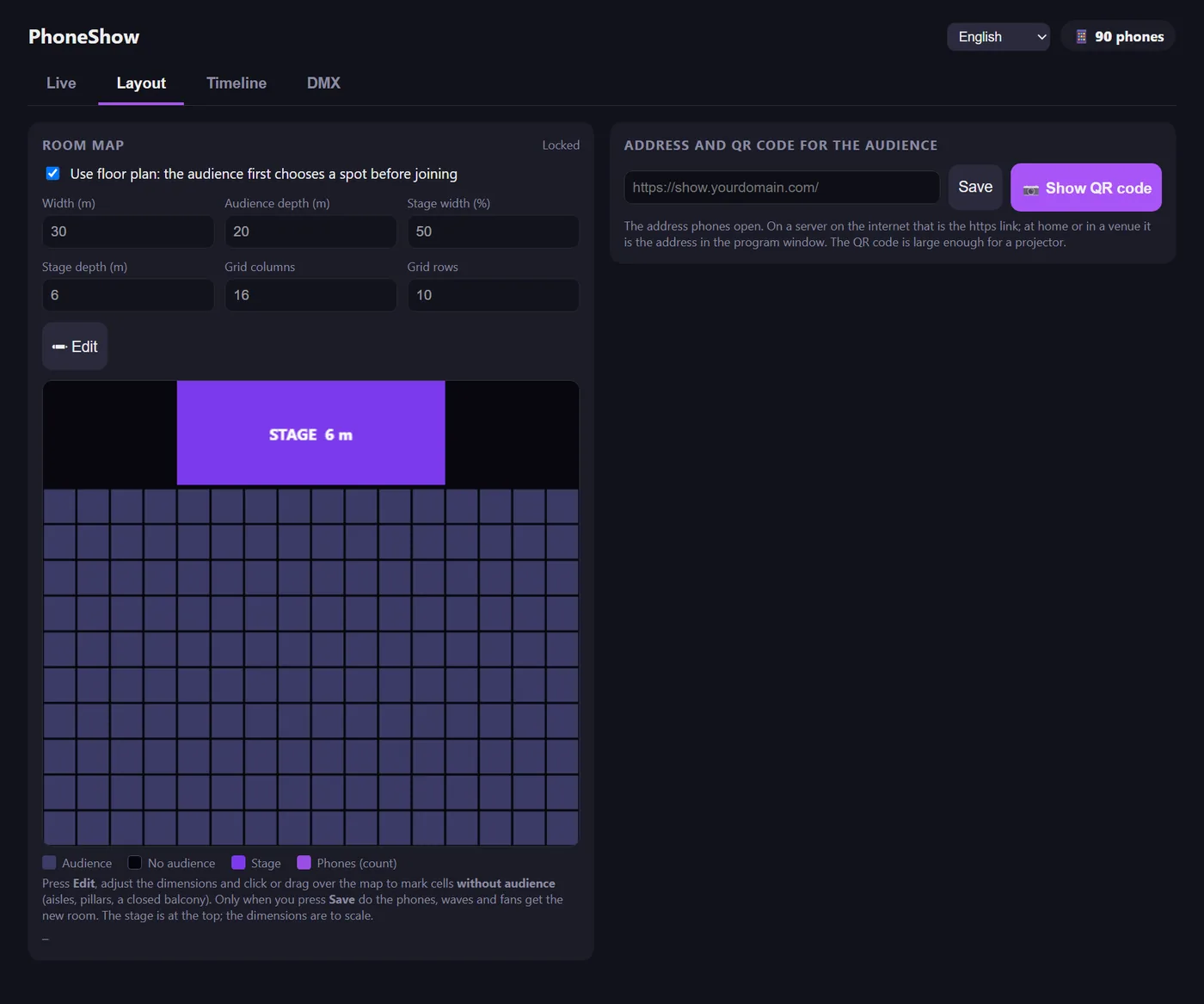
The room map is a drawing of your venue from above, with the stage at the top.
- To scale. Enter the width and depth in metres, and the size of the stage.
- Mark the empty spots. Click or drag over aisles, pillars and a closed balcony.
- See who joined. Each cell shows how many phones chose that spot.
- Or switch it off. Without the map, visitors join with one tap.
Build a show on a timeline
Each step has a time and any mix of light, lyrics, a speech balloon and a Lumaestro action.
- Play it before the night. Test your show on a few phones.
- Run it by hand. Step through the show with Next and Previous when a live event does not run on time.
- Keep it as a file. Download your shows and take them to another PC.
- Edit by hand if you like. A show is a plain text file.
What the audience sees
One screen to choose a spot, one button to join.
- No app. The page opens in the normal browser of any phone.
- Their own language. 33 European languages, chosen from the phone.
- Tap for full screen. A tap on the light switches full screen on and off.
Want to see it work? The demo takes up to 10 phones and plays a tour by itself, with speech balloons that explain what you see.
Tested with 1000 phones
We joined 1000 simulated phones to a PhoneShow server on an ordinary VPS with 4 cores.
These figures come from our own test of the server version. On real phones over 4G the delay per phone can be larger, so the lead time is adjustable.
Download and manuals
One file, no installer. Drop it in a folder and double-click.
Does Windows say “Windows protected your PC” on first start? Click More info, then Run anyway. The program is not digitally signed. When Windows asks about the network, allow private networks.